Stop Firefox Opening Downloaded Files Automatically
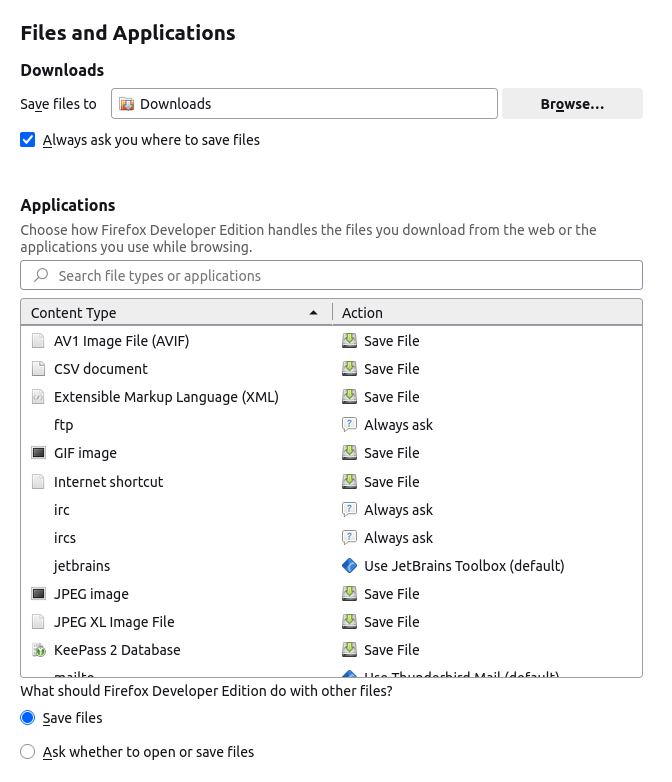
I always set Firefox to 'always ask you where to save files'. However, occasionally when I downloaded a file, it would bypass asking where to save and worse still, automatically open the file?!
Turns out there is another section in Firefox's settings which adds special handling for specific file types. To prevent any downloaded files from automatically opening, you need to set all content types to either 'Always ask' or 'Save file'.